
How can we help you?
How to Add Multiple Pairs in Multi-Level Bot?
This tutorial explains how to add and trade multiple pairs simultaneously using your Multi-Level bot in any market.

1. Open your MetaTrader
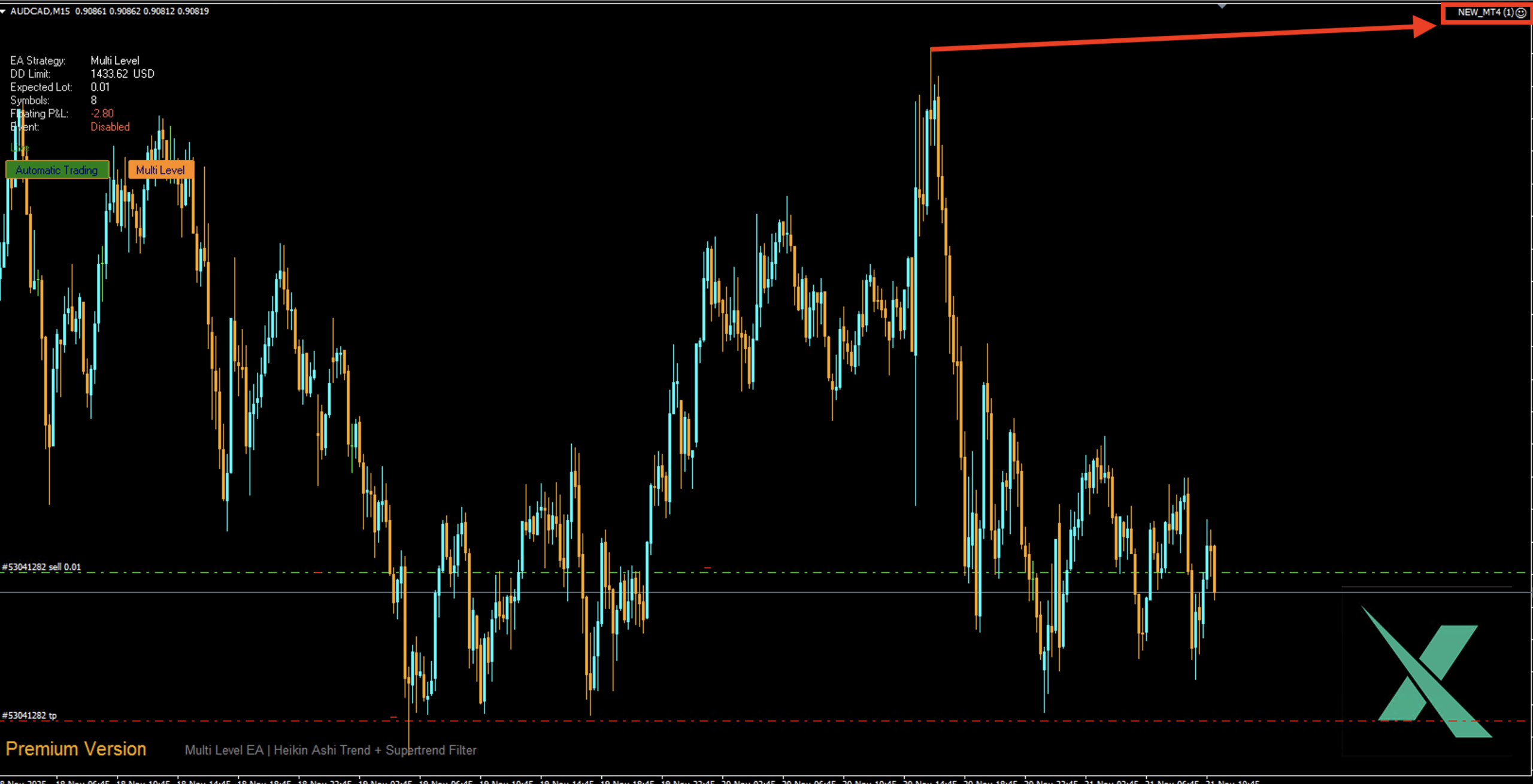
Open your MetaTrader, where your bot is installed on one pair. Then, click on your bot’s name in the top right corner to open the settings pop-up.
2. Click on Trade Symbol
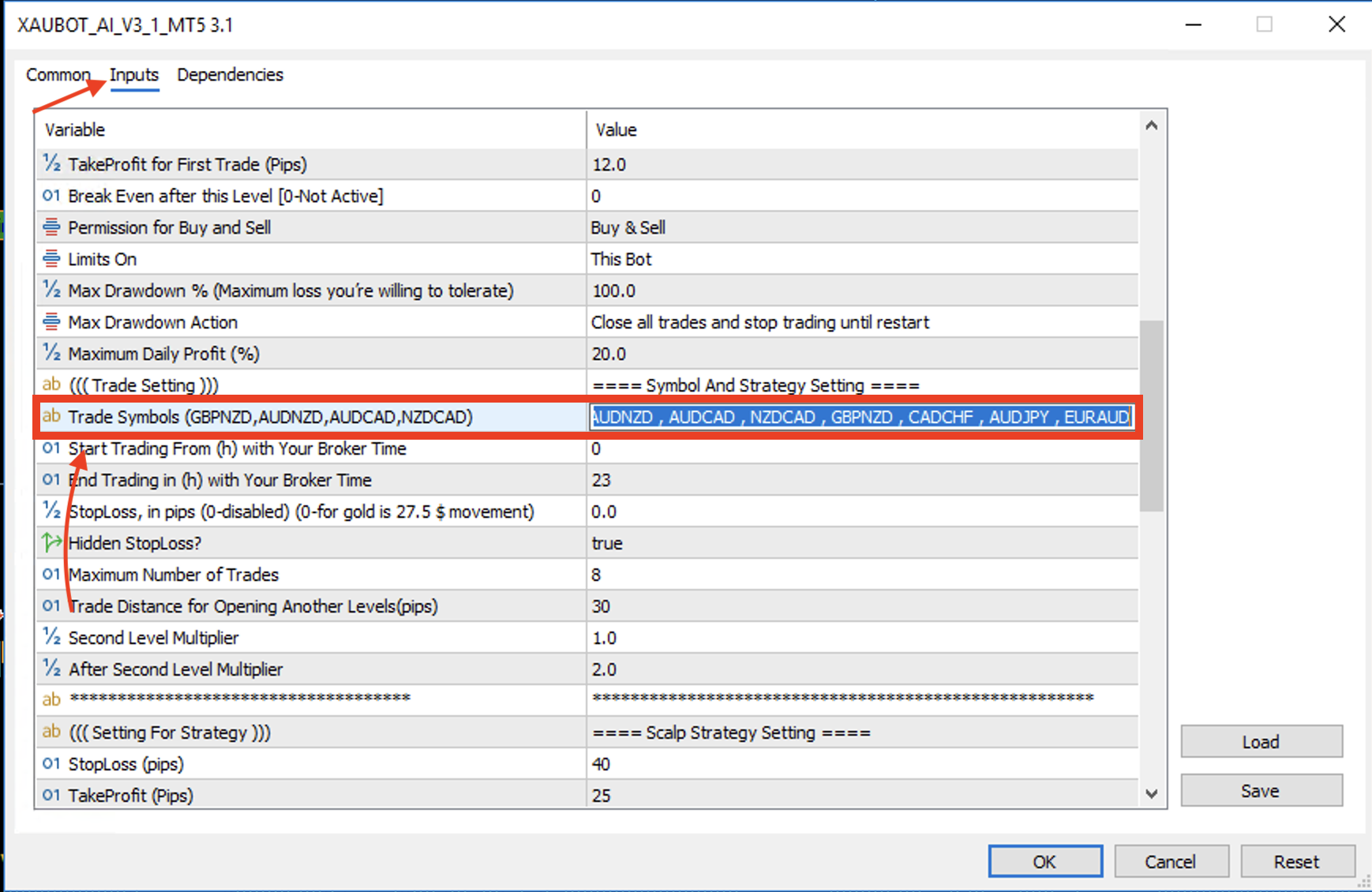
Go to the Inputs tab and scroll down until you find the Trade Symbols parameter. Double-click the box and enter your trading symbols exactly as they appear in your broker’s Market Watch list. For example, if your broker uses a suffix like AUDNZD.r, you must type the full name, including the suffix and separate each one with a comma.
2. Set simultaneous symbols
The default setting for simultaneous trading symbols is 2. If you want your bot to trade more pairs at the same time, you can adjust this number—up to the maximum based on the symbols you entered in the Trade Symbols field.