How can we help you?
How to Fix the Invalid License Key Error in XAUBOT?
This issue (Invalid License Key) usually happens when the license key is not connected with your account number.

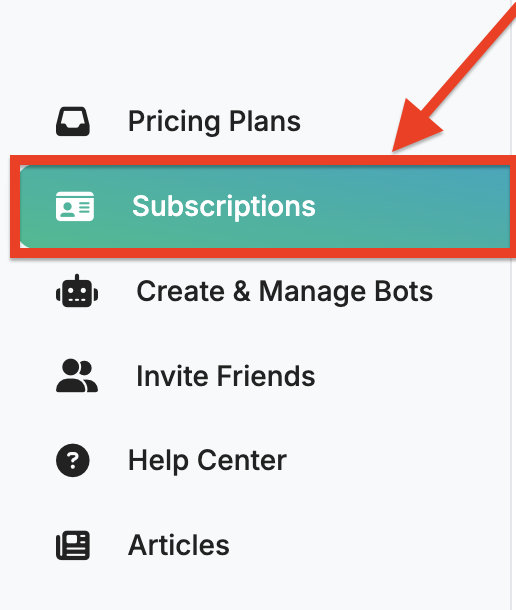
1. Open the Subscription Page on the left menu
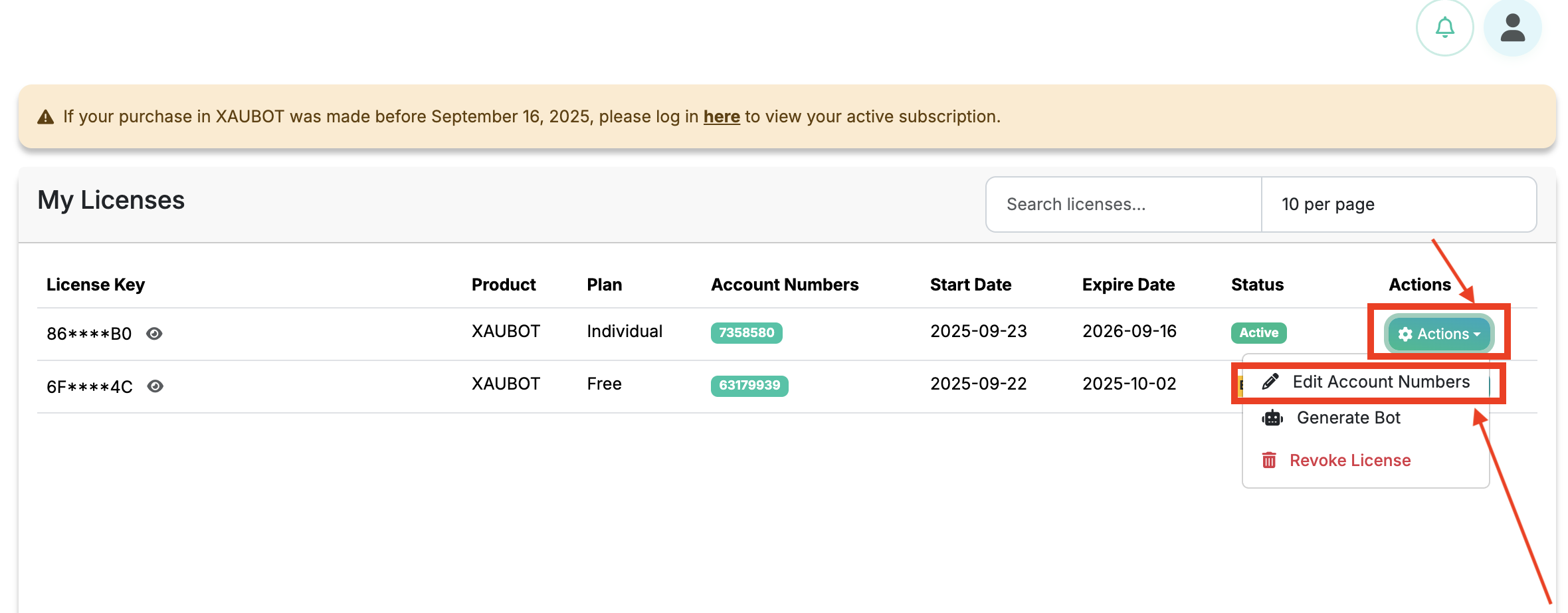
2. Click on Actions and select Edit Account Number
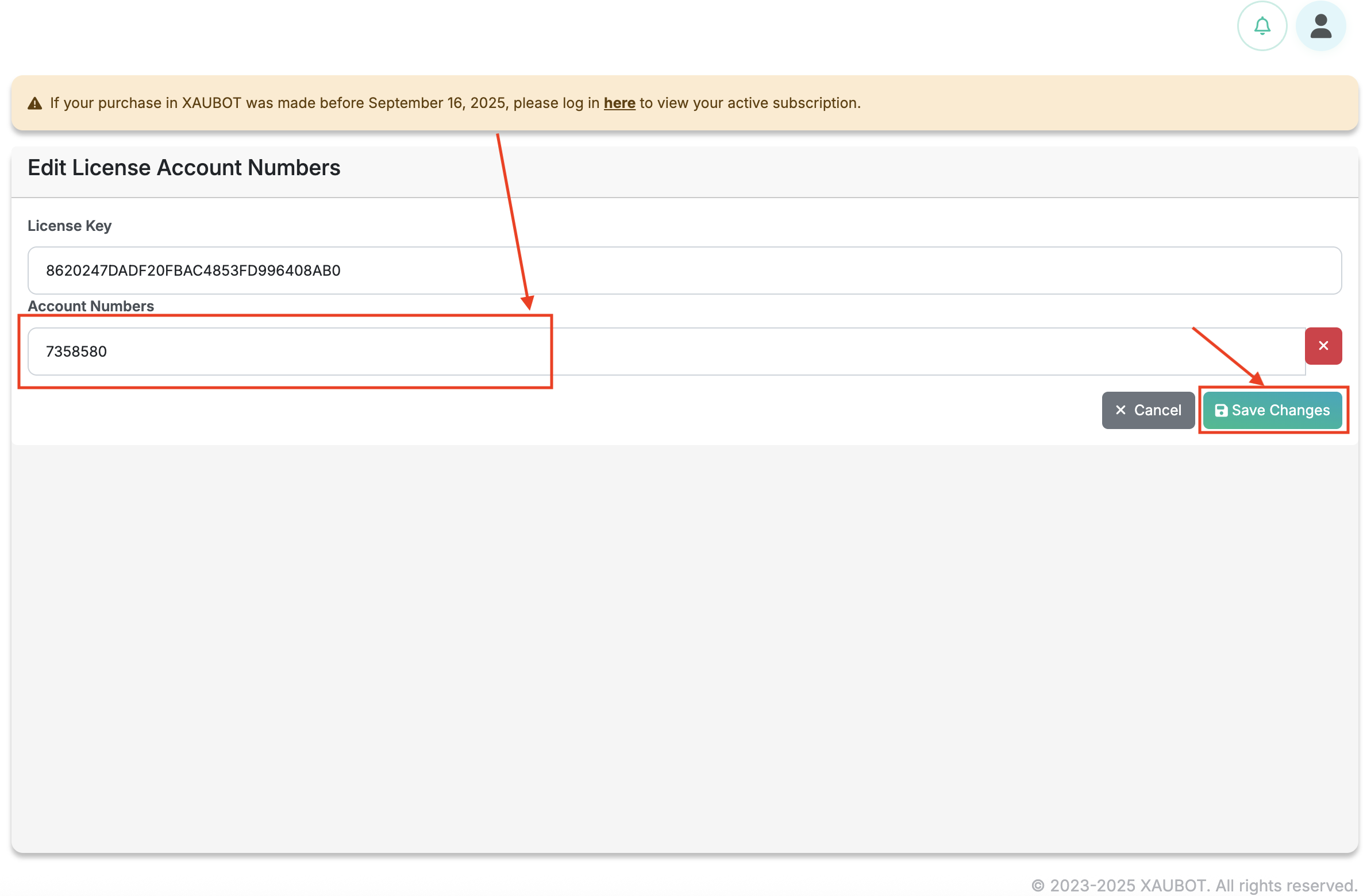
3. Enter your account number and click Save
4. Open your MetaTrader
-
Click the setting icon in the top-right corner of your chart to open the bot settings.
-
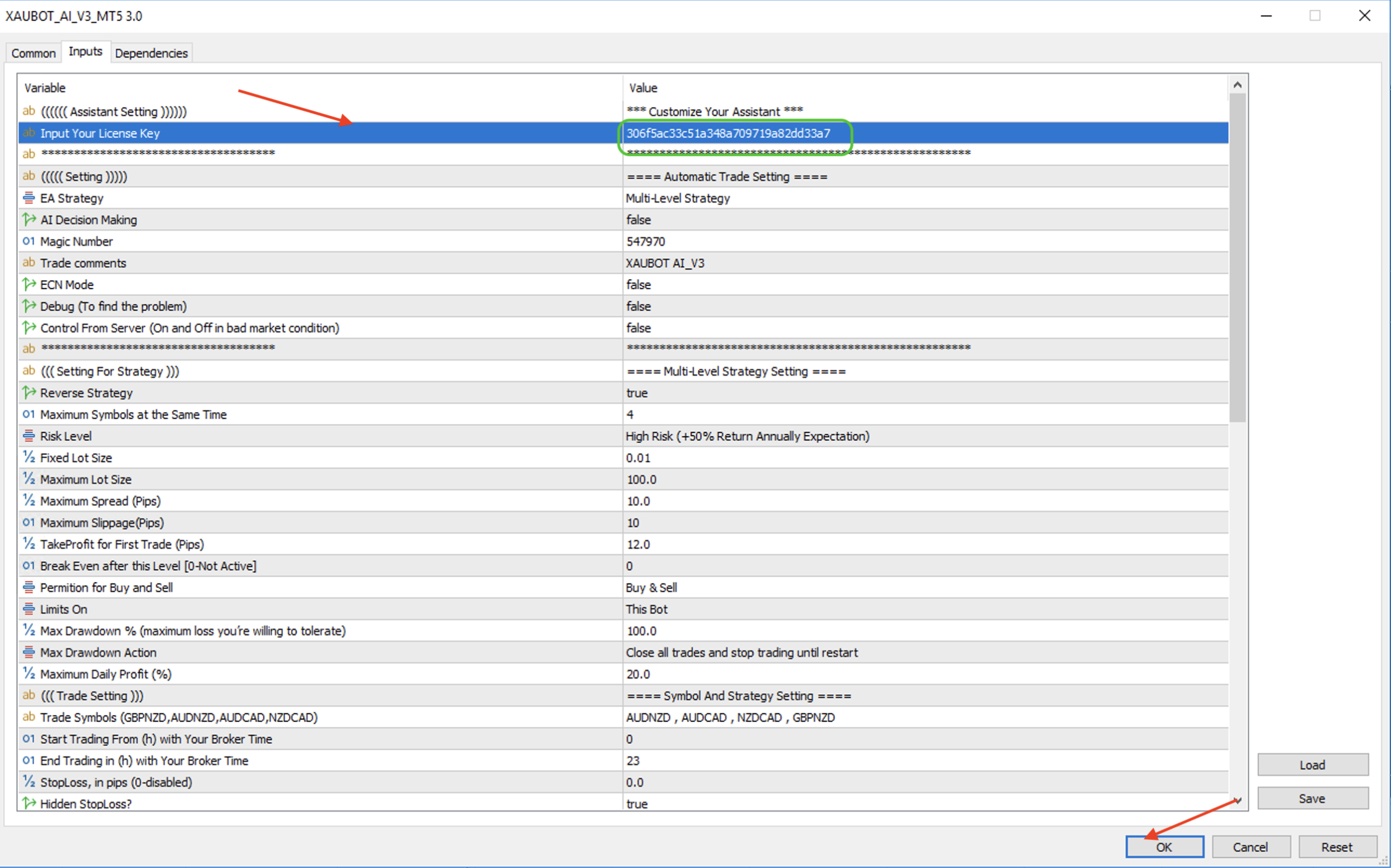
Go to the “Inputs” tab.
-
Double-click the License Key field.
-
Paste your license key into the license field and confirm your changes.
-
Click OK.
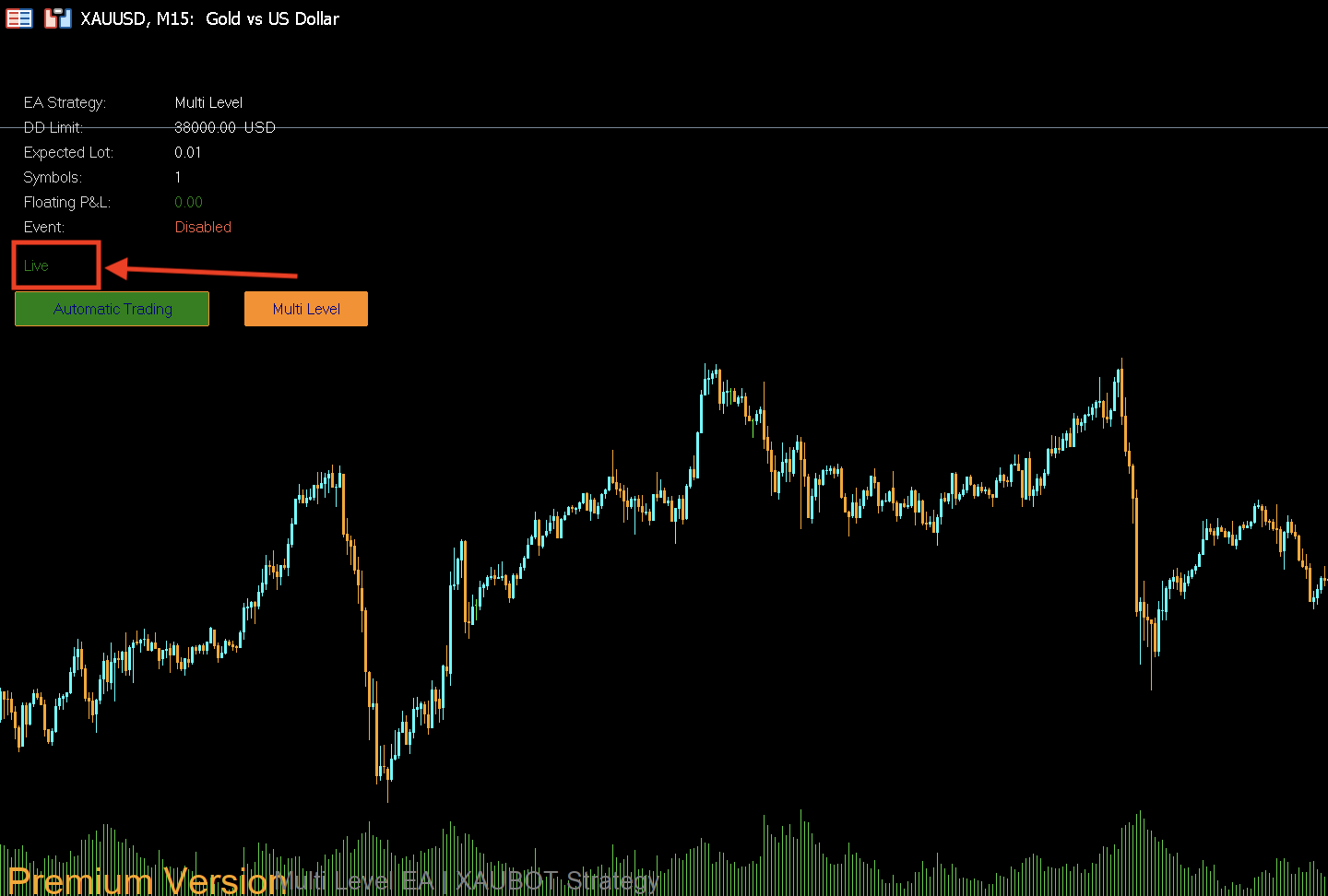
5. That’s it! Your Bot is Live!