
How can we help you?
How to Activate Multiple Account Numbers: Pro and Business Plans
This tutorial explains how to activate your second and third account numbers under the Pro and Business plans using a single license key.
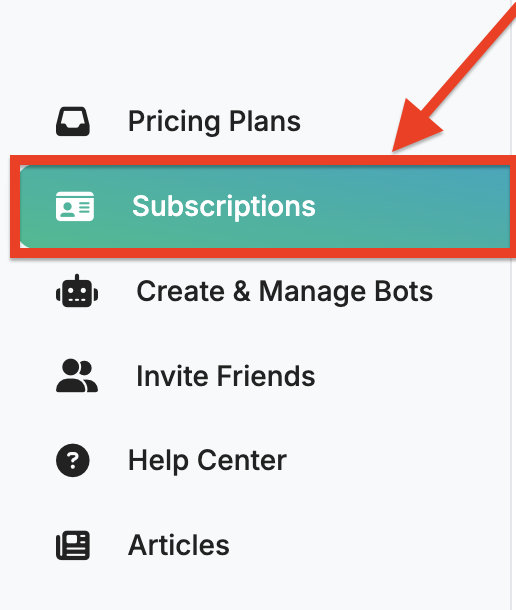
1. Open the Subscription Page
Go to the Subscriptions page in the left menu to view your active licenses.
2. Click on Actions
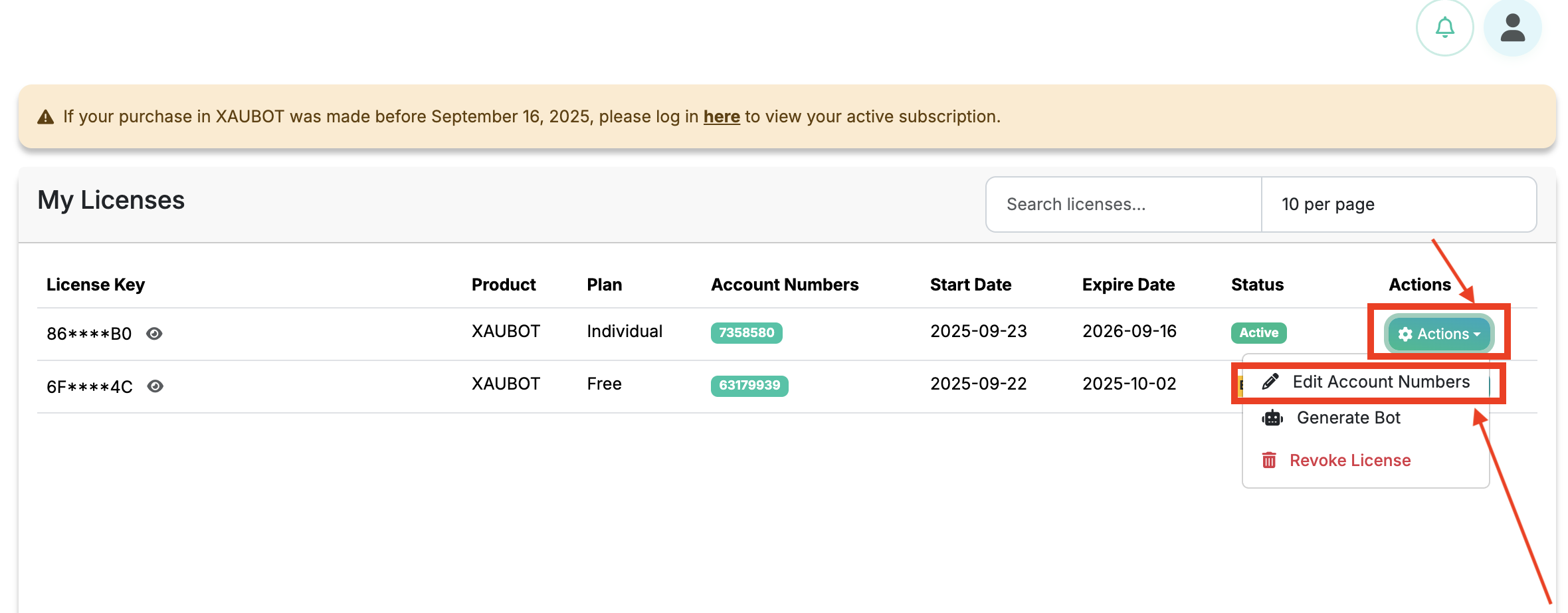
Click Actions and then click Edit Account Numbers.
3. Enter your account numbers
Click on Add Account Numbers and enter your MT4/MT5 account number, which you received when creating your broker account.
If you have the Pro or Business plan, you can click Add Account Numbers two or three times to add your second and third accounts. All accounts will be connected using a single license, so only one license will be used across your trading accounts.

4. That’s it! Your License is Active
By clicking Save Changes, your account number will be linked to the license key on the Subscriptions page. You can then enter this license key in your bot’s settings on MetaTrader for each account.
